Grab bag

Daily Photo Blog

// January 11th, 2010

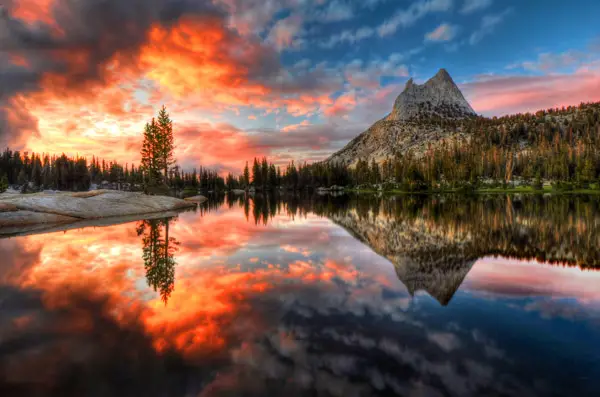
Yesterday I published the first daily photo on my shiny new photo blog. That’s the photo over there on the right. The blog, imaginatively named Eye Tales, is here.

I wanted to make it simple, both for me to add the daily photo and for visitors to navigate. I went with WordPress because I already have blogs with them so I’m familiar with managing and editing and, if you don’t mind having .wordpress.com in the address, it’s free.

The theme is called Duotone and is specifically designed for photoblogging. It has a couple of nice features, the first is the inclusion of some of the technical information from the camera (shutter speed, ISO, camera model, etc) which happens automatically without me having to input any of the info. The other feature I like is the changing of the blog background colours to compliment the photo.

The first day was easy, we took a trip to the beach so there was plenty of photo inspiration, but already today (day 2) I had to search around my apartment looking for something interesting to photograph during my lunch break! This is good though, this is forcing me to get my camera out and be a little creative. I didn’t add any words to the first two posts but I may do that in future posts, I certainly like that the option to add words is there.

If you’re inspired to try your own daily (or even not daily; weekly?, bi-monthly?) photoblog you can sign up for a WordPress blog here (this is by no means the only option, just the one I found most convenient) and get started. Let is know in the comments how it goes!

Have an opinion? Comment on this post...

Grab bag

Welcome to the Teenies

// January 7th, 2010

…or whatever it is we’re calling this new decade! It’s day 7 of the new year so I’m sure many of you have already broken your resolutions but you’re still doing better than me because I didn’t even make any!

I have just decided, though, that some sort of daily photo blogging will be one of my goals for 2010. I am inspired by this blog by professional photographer, Rachel Devine, which showcases beautiful photos of her family and life in Australia on a daily basis. I also like this blog with daily photos, and an accompanying paragraph or so of text, from Paris. This one from Canada, and this one from Norway, are also inspiring.

What I love about daily photo blogging is not just the encouragement to get the camera out daily but also the idea that you can showcase the not-so-perfect and not-most-interesting aspects of life which may not normally be documented. I plan to start this weekend and over the next couple of days will be setting up the actual photoblog (I’m guessing that’s going to be considerably easier than finding daily photography inspiration)!

If you have advice, want to join in with your own daily photo effort, or have other daily photo blogs to recommend, let us know in the comments. Happy New Year!

Have an opinion? Comment on this post...

Grab bag

Homemade Photo Gifts

// December 21st, 2009

craft ninjaPanicking over those perfect photo gifts you just can’t find/left too late to get delivered? Never fear Photodoto is here for you with some homemade photo gift suggestions.

Collage: Especially good for the college student in your life, perfect for dorm room walls, but great for Grandparents and everyone else too. Print a bunch of photos on a theme – photos of the grandkids, your daughter’s best friends, Aunt Mable’s most beloved dog – then figure out a way of arranging them together so they look awesome. You could glue them onto a sturdy backing (thick cardboard, styrofoam, or corkboard are some ideas), link them together using photo clips, or use photo corners to arrange them on a patterned background.

Poster: Head on over here and use the free motivator, magazine cover, or movie poster tools. Print and put in a frame. Simple.

Perpetual Calendar: This requires photos with numbers but you could cheat and photoshop numbers onto some of your favourite shots. Basically you need photos numbered 1 -31, photos with the days of the week on them, and some photos to pad out the calendar and make it a neat shape. Arrange them in the correct order and use photo clips to hold them together. Check out this video of a fantastic example of a perpetual calendar and a walk through of how it was made.

Slideshow: Take a whole bunch of really good photos and make them into a slideshow, if you like you can add music and all sorts of fancy special effects. Burn to a DVD, or if you’re feeling generous buy a digital photo frame and put it on there (granted that’s not so home-made but it adds a home-made touch to a bought gift)!

T-shirt: Print a favourite photo onto t-shirt transfers (these come in a different types for different t-shirt colours so be sure to get the correct type), follow the instructions to get the transfer onto the t-shirt (it usually involves an iron) and you’re done! If you’re making this for a child to give as a gift you can make it a bit more special by getting some fabric paint and allowing them to add their handprint or own unique artwork to the shirt (one of my favourite gifts was made this way, with a photo on the front and handprints on the back to make it look like they’d been left there by a child giving the wearer a hug)!

And as a special Christmas bonus here are three links to other home-made photo gift projects for you to try your hand at:

Photo Cube on Instructables

Snow Globe Christmas Ornaments on Photojojo

Photo Blocks with Wrap on Missie Krissie

Happy Hand Crafting!

Craft Ninja photo by sewitsforyou.

Have an opinion? Comment on this post...

Tips, Tutorials, Hacks

Winter Photography Tips

// December 19th, 2009

Yes, it’s almost Christmas and yes, there’s the tree to decorate, and those holiday cards aren’t going to print themselves, and you really should untangle those strings of lights. But winter isn’t just about Christmas so if you feel like taking a break from Santa and his friends here are a few tips for capturing some non-Christmas winter snaps.

1. Get your equipment prepared. Don’t forget spare batteries (the cold will sap their energy faster) and try and think about packing some hand warmers in your camera bag to keep your camera all warm and toasty.

2. Overexpose! One of the main problems with photographing snow is the fact it’s so shiny and white. Your camera’s light metre will struggle with all that white shininess and read it as grey. Many point and shoot cameras have a “snow” mode you can use or for a DSLR try overexposing the shots (try +1 or +2 if you have automatic exposure compensation).

3. Try a graduated filter.
For grey-sky days a graduated filter can give the sky a bit of colour and make the pictures look a little less overcast. The advantage of a graduated filter is that it’ll leave the foreground of your shots with the natural lighting.

4. Snow looks pretty by moonlight. Yes, it’s even colder if you go outside at night but snow can look especially pretty by moonlight or the reflection of outdoor lights. Wrap up warm, grab a tripod, and give it a shot!

5. You don’t need snow to get winter shots. If your area doesn’t get snow that doesn’t mean you can’t get good winter photos. Often winter skies make for interesting shots, and ice or frost can also be great subjects.

Have an opinion? Comment on this post...

Reviews

ScanCafe: Scanning is complete!

// December 16th, 2009

Ready to review emailThe negatives I sent to ScanCafe have been scanned! For those of you who haven’t been following along, ScanCafe is a negative scanning service I am testing anonymously with a shoebox of wedding negatives I’ve had lying around since 1997. I sent my negatives to them on November 9th, scanning in their India facility began on November 30th, and the scans were ready for review on December 14th.

Last week I received an email from ScanCafe letting me know that my scans were ready. But when I went to the site, only about half of the negatives I sent in were scanned! That was scary. My initial reaction was that they’d lost half of my negatives. Unfortunately, I can’t give high marks for customer service since it took about 4 days before I could get an explanation. This may have something to do with communication between ScanCafe headquarters and their scanning facility in Bangalore, but I’m just speculating. Ultimately, the missing negatives were scanned. Here’s the explanation I received from ScanCafe:

First of all we apologize for the delay in responding to your issue. We just receive a confirmation from our Imaging center that all your images (189) are now uploaded to your account. The problem you faced was due to an error while uploading your images to your account which is now fixed. Please login to your account to view your scans. We apologize for the inconvenience caused and appreciate your patience.

It was a stressful four days waiting to find out if my negatives had been lost forever.

Once that was out of the way though, the rest of the process worked flawlessly. Previews of all of your negatives are available for review. Delete the ones you don’t want (you can undelete them if you change your mind) and pay the balance due. I ended up discarding 15 of the negatives. I would have liked to have seen larger previews. On some of them, it was difficult to see the small differences between similar shots so I ended up buying both scans.

In total, I spent about 1 hour of my time getting all of these scans, mostly spent at the preview stage. Before I sent my scans to ScanCafe, I sent a few to Brian Auer at Epic Edits (a film and scanning do-it-yourself expert) so that we could compare scanning quality of the equipment and time spent. We tried our best to simulate the ScanCafe level of service (scan, dust removal, white balance, limited retouch) and Brian found that he was taking about 12-17 minutes per negative. Even if doing it myself only took 10 minutes each, that would have used up over 31 hours of my time. So, it cost me $185 but I saved 30 hours of my time.

Once I get the scans back we’ll be able to look at the scans side by side and see how ScanCafe fared against Brian.

Screenshots below.

Ready to review email

Your images are online and awaiting your review

Scans are organized into albums

Scans are organized into albums

Preview your scans and delete the ones you don't want

Preview your scans and delete the ones you don't want

Total price for scanning 189 medium format negatives in TIFF format (with 20% Halloween discount coupon)

Total price for scanning 189 medium format negatives in TIFF format (with 20% Halloween discount coupon)

Have an opinion? Comment on this post...